Elevate Your Listening: The Guide to Helium's Advanced Audio Analysis and Smart Playback
Most music players are designed to simply read a file and push sound through your speakers. Helium is built to actually understand your music.
Beyond its powerful tagging capabilities, Helium features a highly advanced audio engine designed to analyze, repair, and intelligently queue your collection. Whether you are a DJ preparing a seamless set or a collector wanting an endless, perfectly curated radio experience, here is how Helium transforms the way you listen.
1. Advanced Audio & Key Analysis
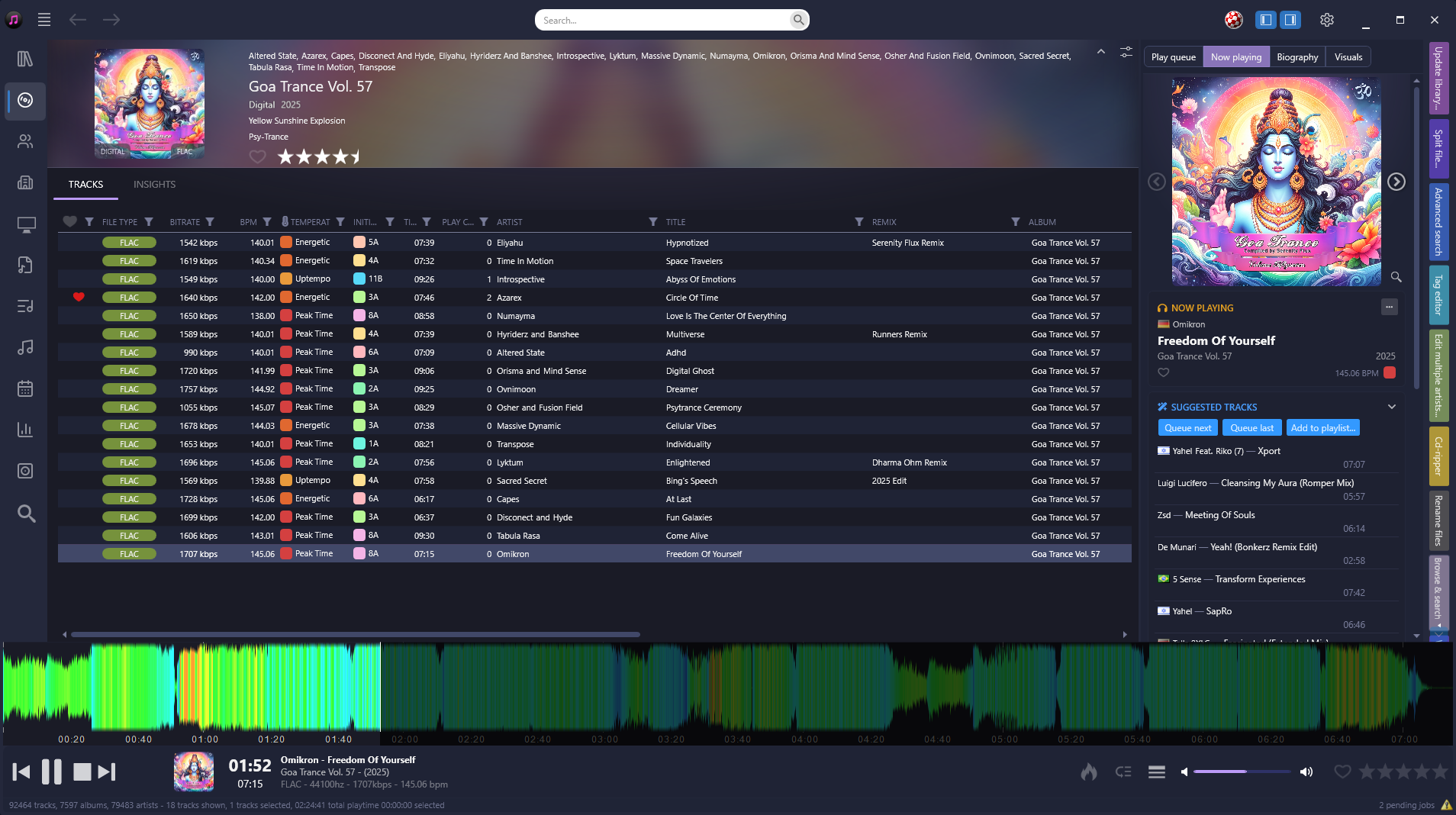
Helium goes deep into the sonic profile of your tracks. Through our intelligent audio engine, the software can automatically detect the BPM and calculate the exact MusicKey (using the Camelot scale) during playback.
But Helium takes it a step further. Using a unique Spectral Flux algorithm, Helium calculates the Temperature of every song. This breakthrough feature allows you to instantly sort your massive library by pure energy - from ambient, low-temperature chill-out tracks to intense, high-temperature party anthems. For DJs and power collectors, this makes harmonic mixing and set preparation incredibly effortless.
2. Intelligent Auto-Queue & Seamless Playback
Why limit yourself to a static playlist? With Helium, the music never has to stop. Helium acts as your own personal, highly intelligent radio station.
By utilizing Intelligent Auto-Queue and Smart Playlists, you can build infinite, dynamic music flows. Instead of manually picking the next track, you can set rules to automatically queue up songs based on matching energy levels (Temperature), specific genres, release years, or play history. To ensure the energy never drops, Helium features a built-in Cross-fade function that smoothly blends the end of the current track into the beginning of the next, delivering a seamless, uninterrupted mix that perfectly adapts to your current mood.
3. Audio Health & Quality Control
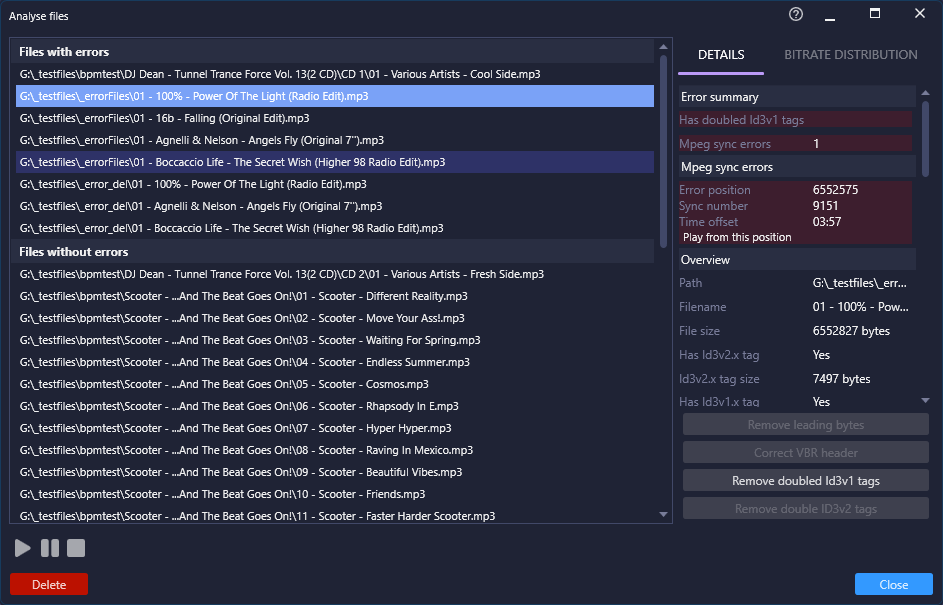
If you have been collecting digital files for years, you are bound to have a few corrupted tracks. Helium includes built-in diagnostic tools that proactively scan your library to find hidden errors within your MP3 and FLAC files.
If Helium detects issues in an MP3 file, you can use the built-in repair tools to fix broken frames and headers, ensuring a smooth playback experience. Combine this quality control with professional-grade Volume Normalization and a fully customizable EQ, and your collection will always sound pristine, track after track.
4. The Ultimate Experience: Custom Shaders and Lyrics
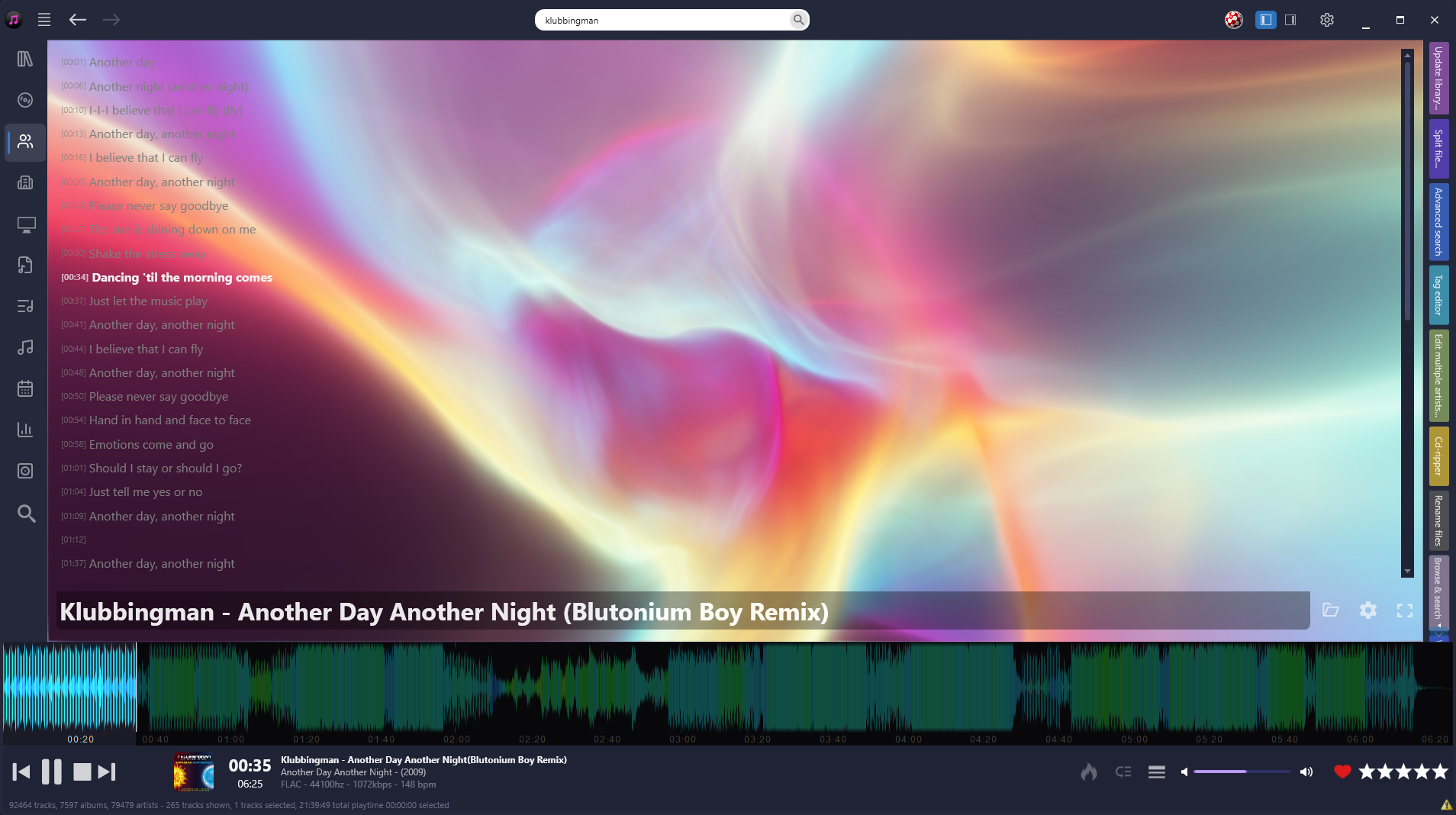
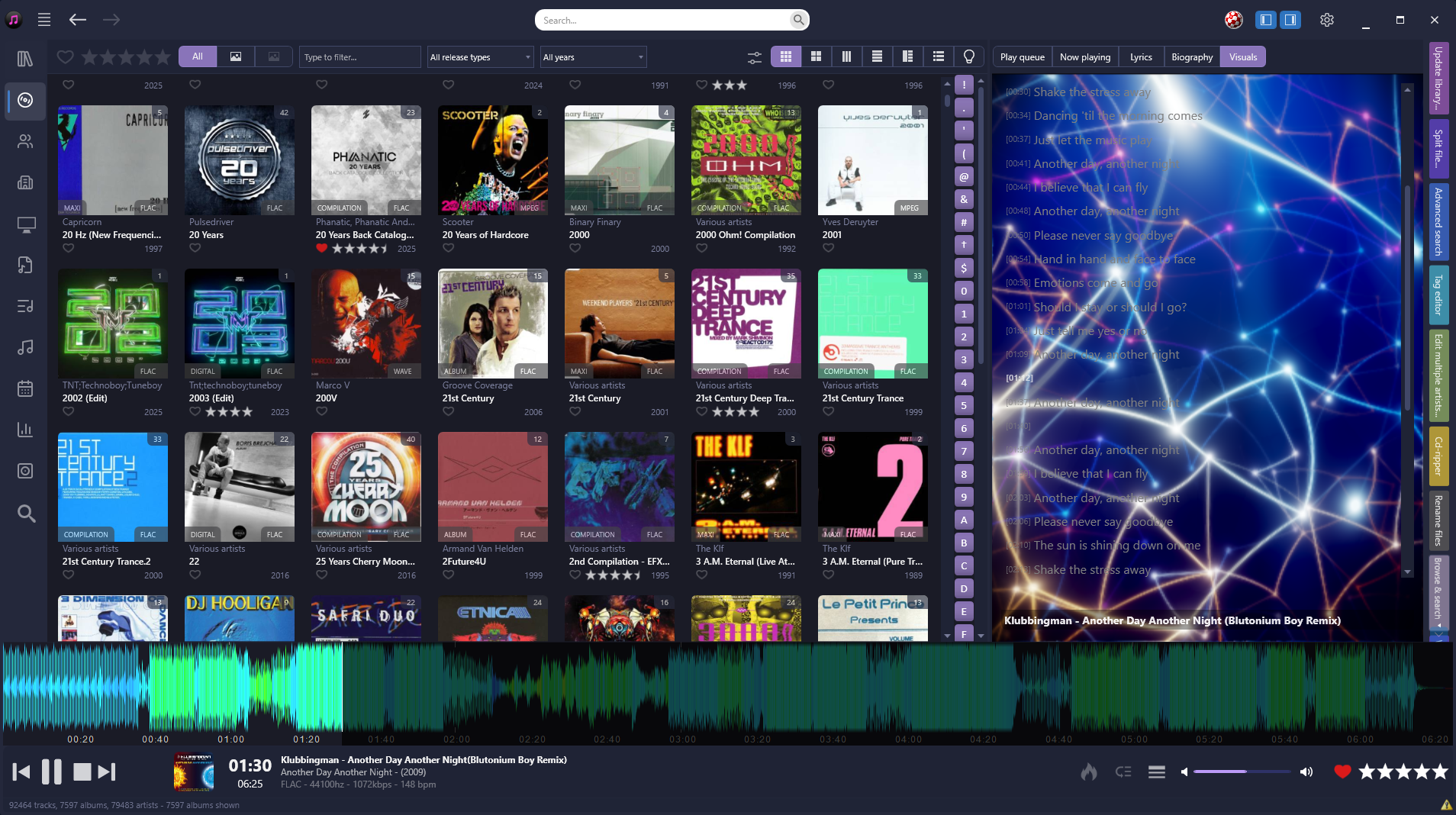
Helium doesn't just sound spectacular; it provides a complete visual experience. For the ultimate desktop playback, Helium features extensive VFX support, driving dynamic visualizers that react to the frequencies of your music in real-time.
For the true graphics enthusiast, Helium opens up its rendering engine by allowing you to code your own custom VFX scripts using Shaders (similar to platforms like Shadertoy). This means you can write your own real-time 3D tunnels, raymarchers, or complex particle systems that react perfectly to the audio spectrum.
If you love singing along, the player also automatically fetches lyrics for your tracks. With full support for time-coded lyrics, the text highlights in perfect sync with the vocals as the song progresses, giving you a highly responsive, karaoke-style experience right on your screen.
5. See Your Sound: Advanced Waveforms and Spectrograms
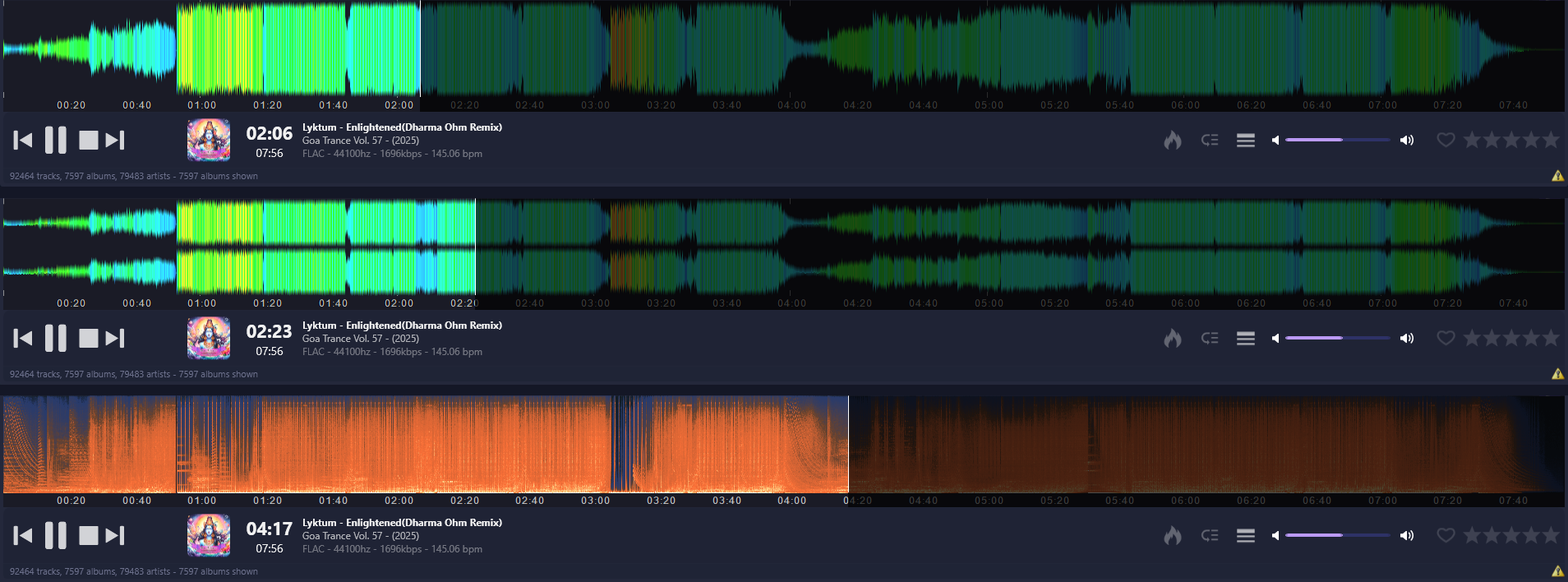
Ditch the traditional, boring playback slider. Helium allows you to visually navigate your music by replacing the standard position bar with a high-resolution, interactive waveform or a detailed spectrogram.
Because Helium calculates the underlying energy of your tracks, the waveform can be beautifully color-coded based on the song's Temperature. This gives you an instant visual map of the track's drops, breakdowns, and high-energy peaks before they even happen. You also have complete control over the interface - you can easily customize the height, scale, and color schemes of both the waveform and the spectrogram to perfectly match your aesthetic.
Experience your music on a deeper level.
Stop settling for basic playback. Let Helium analyze, repair, and perfectly queue your entire collection.