The Ultimate Workflow for Organizing a Messy Music Library
If you have been collecting digital music for over a decade, chances are your library is a bit chaotic. You probably have files scattered across different hard drives, folders vaguely named "New Folder (3)", tracks labeled "Track01.mp3", and multiple copies of the exact same song taking up valuable storage space.
Trying to fix this manually in Windows Explorer is a nightmare. To truly take back control of your collection, you need a structured workflow.
By using Helium, you can transform a disastrous folder structure into a perfectly curated, pristine music library. Here is the ultimate step-by-step cleanup process.
Step 1: Import and Analyze
The biggest mistake people make is trying to rename and move physical files before they know what they actually have.
Your first step is to simply add your main music folders to Helium's database. By importing everything into one central view, Helium will quickly analyze your collection. You will instantly be able to see which tracks are missing covers, which albums are split apart, and just how much metadata is missing.
Step 2: Fix the Metadata (From the Inside Out)
Once your files are in the database, you must fix the internal data (tags) before touching the external file names. When your files are correctly tagged with Artist, Album, and Track numbers, the rest of the organization happens automatically.
Need help with this step? Helium features incredibly powerful batch tagging tools and direct integration with databases like Discogs. To see exactly how to perfectly tag your collection with zero manual typing, read our complete guide:
Master Your Metadata: The Ultimate Guide to Tagging in Helium.
Step 3: Eradicate Duplicates
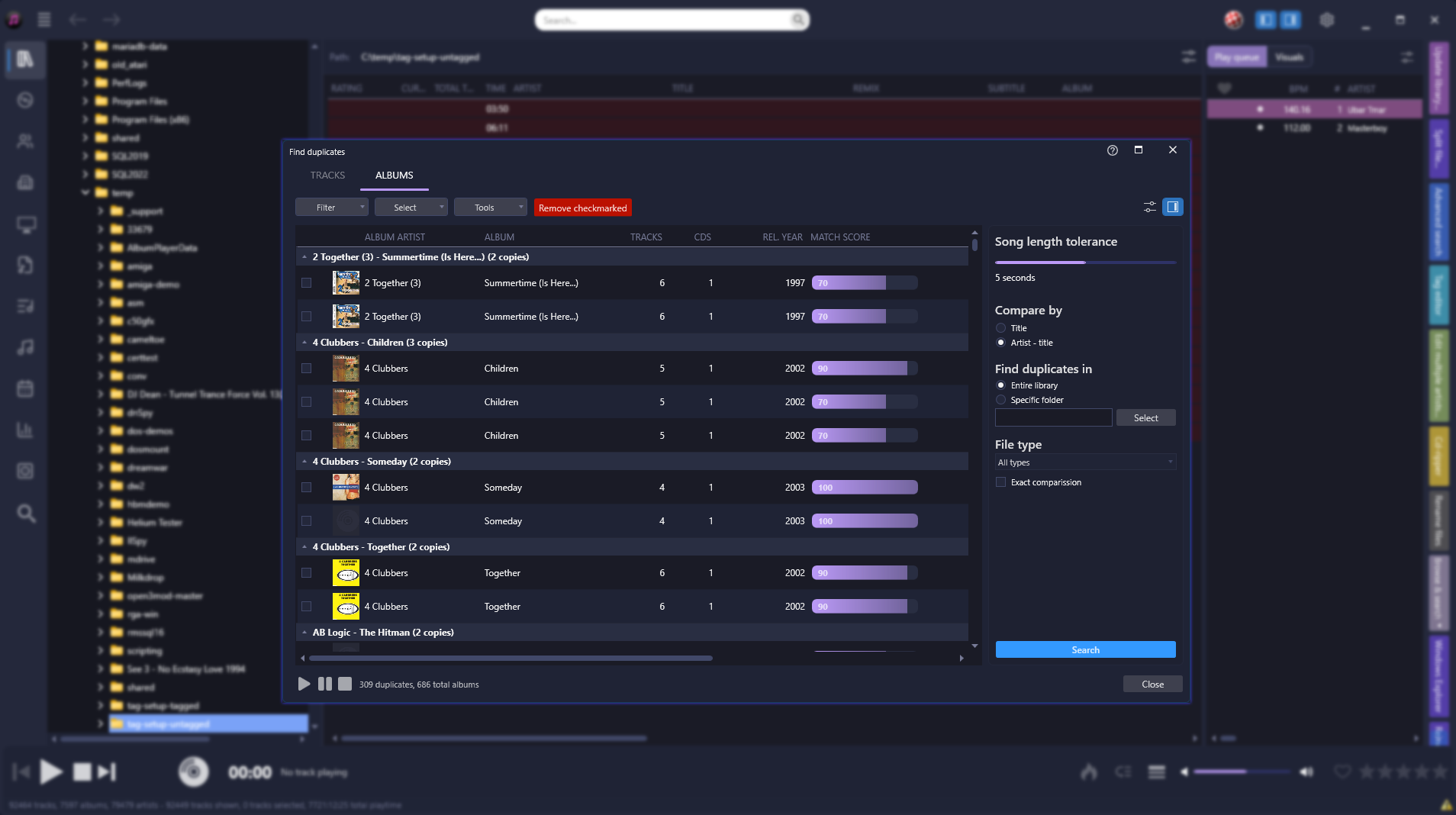
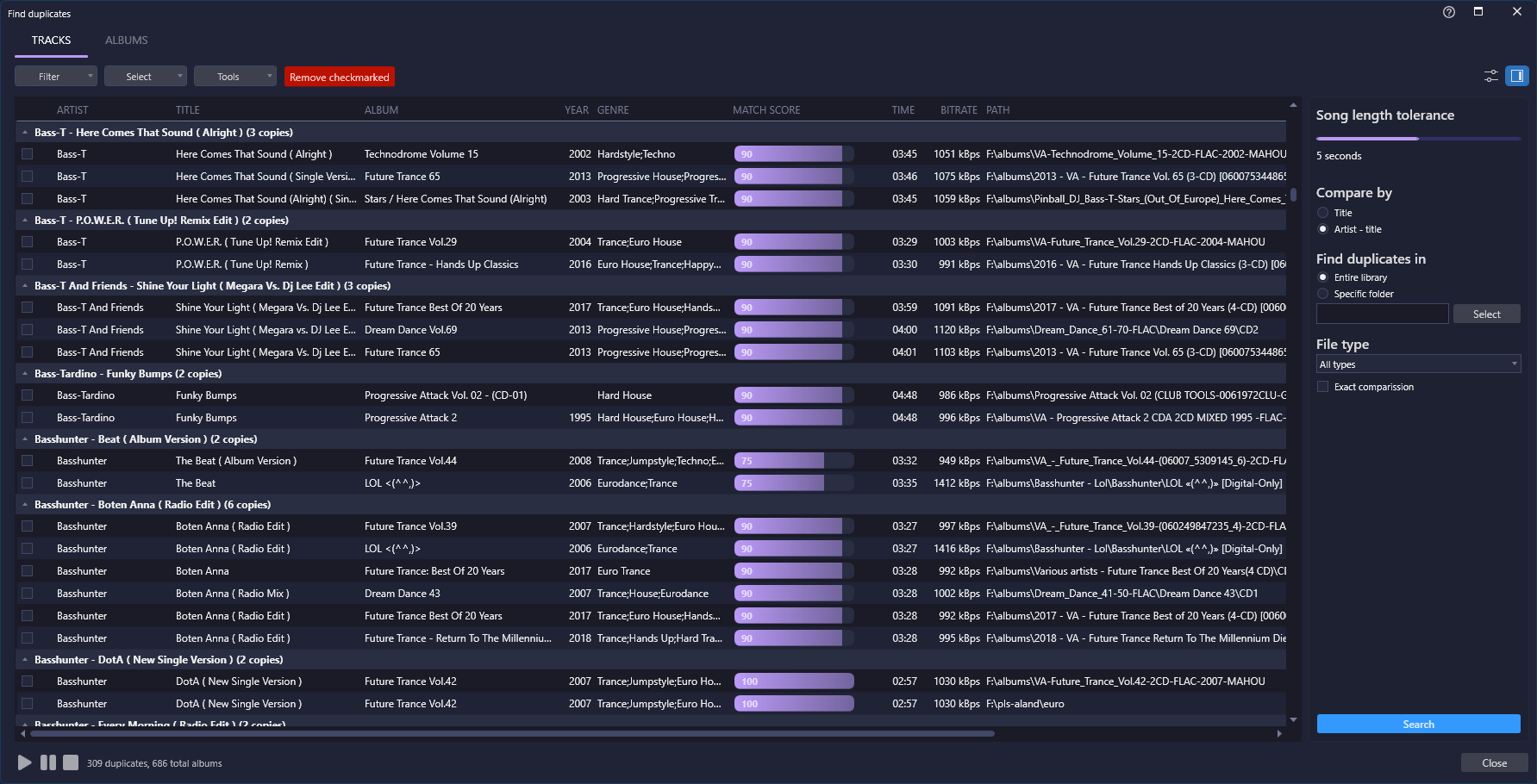
A messy library is usually full of duplicate files. You might have the same track from a single release, a compilation album, and a "Greatest Hits" folder.
Instead of hunting these down manually, use Helium's Find Duplicate Files tool. This isn't just a simple filename scanner; it is a highly intelligent engine. You can configure it to find duplicates based on exact audio matches, identical tags, or specific file qualities. It allows you to safely keep the highest quality version (like your FLAC copy) and instantly remove the low-quality MP3 duplicates, freeing up massive amounts of storage space.
Step 4: The Magic Trick: Physical Restructuring
This is where the magic happens. Now that your files have perfect metadata and all duplicates are gone, you can let Helium physically organize your hard drive.
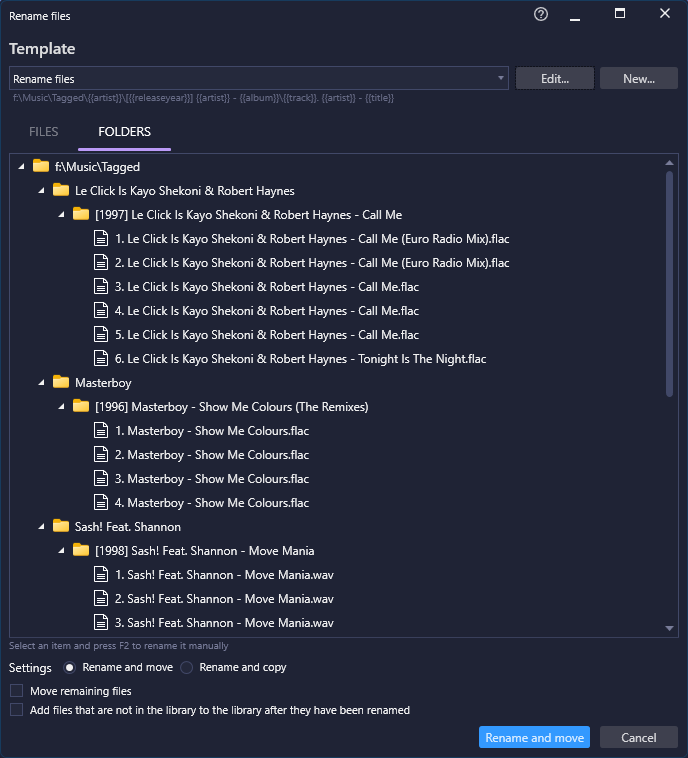
Using the powerful Rename Files tool (driven by Helium's robust "Tag to Filename" engine), you can instruct the software to completely restructure your collection. You simply set a naming convention—for example, \Artist\Album\Track Number - Title—and click execute.
Helium will automatically rename the actual files, create perfectly structured folders, and move the tracks to their correct locations on your hard drive. What would have taken months of manual copying and pasting is done in minutes.
Ready to clean up the chaos?
Stop letting messy folders ruin your listening experience.